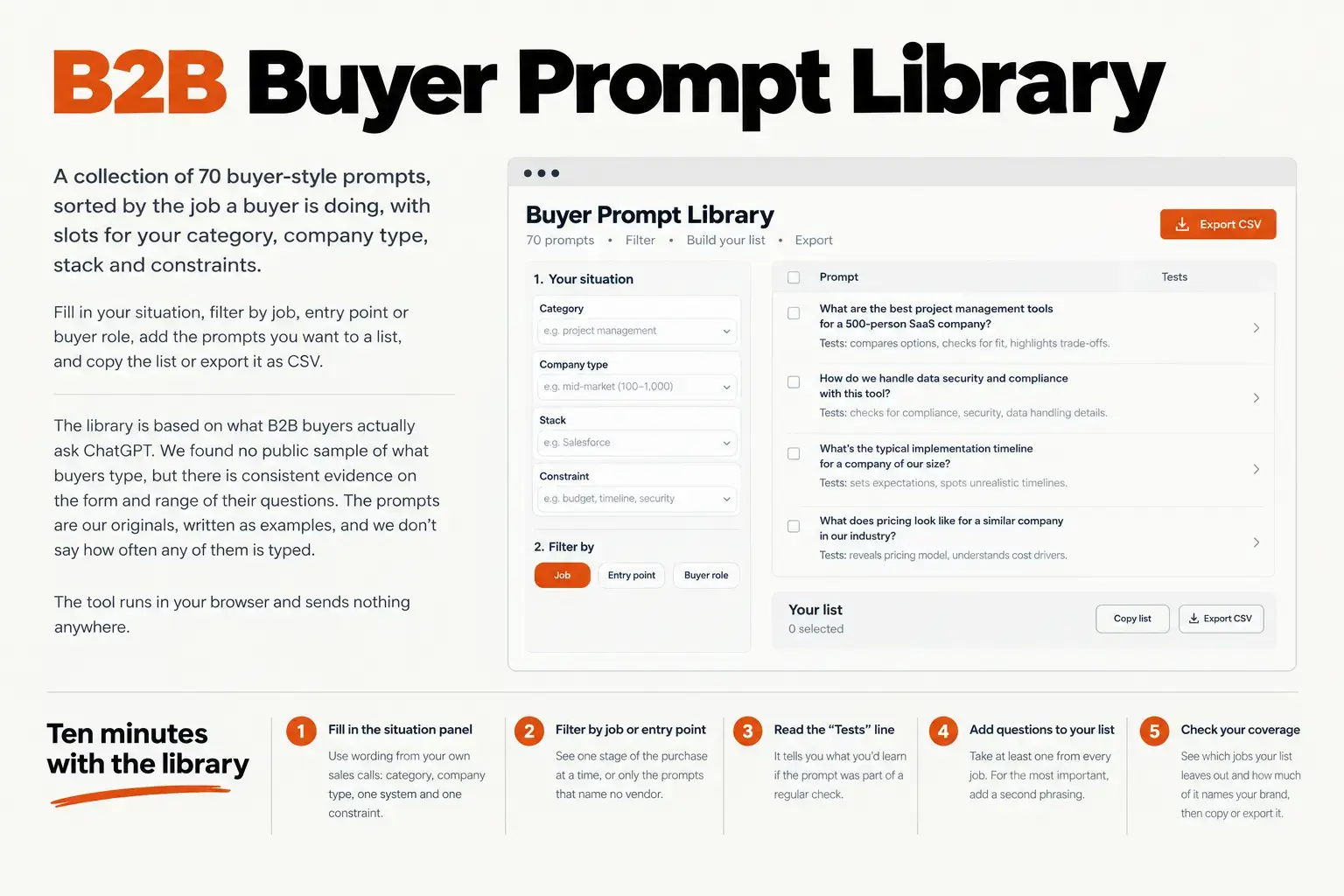


This page holds a working tool: 70 buyer-style prompts, sorted by the job a buyer is doing, with slots for your category, company type, stack and constraints. Fill in your situation, filter by job, entry point or buyer role, add the prompts you want to a list, and copy the list or export it as CSV.
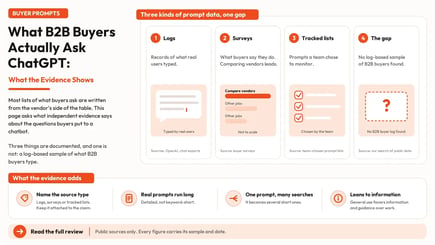
It follows our reading of what B2B buyers actually ask ChatGPT, which found no public sample of what buyers type but did find consistent evidence on the form and range of their questions. The library turns that evidence into a starting list. What you get is wording and coverage. What you do not get is frequency: the prompts are our originals, written as examples, and nothing here says how often any of them is typed.
Ten minutes with the library
- Fill in the situation panel with wording from your own sales calls: the category as buyers say it, the type of company, one system it has to work with, and one constraint they would state.
- Filter by job to see one stage of the purchase at a time, or by entry point to see only the prompts that name no vendor.
- Read the line under each prompt that begins "Tests". It says what you would learn if the prompt were part of a regular check.
- Add at least one question from every job to your list. For the questions that matter most to your sales team, add a second phrasing.
- Look at the coverage panel. It shows which jobs your list leaves out and how much of it names your brand, then copy the list or export it.
What is in the library
The library has seven jobs, four question families in each, and two or three phrasings of each family. That makes 28 questions and 70 prompts.
.png?width=1615&height=1055&name=promptlib_library_map%20(1).png)
The seven jobs are the ones named in G2's 2026 buyer survey of software buyers: comparing vendor strengths and weaknesses, basic product research, vendor identification, use case validation, drafting requests for proposals, working through pricing and packaging, and validating fit. G2 runs a software review marketplace and the survey is self-reported, so treat the list as a reasonable description of what buyers say they do, not a measurement. We sorted the jobs into early, middle and late stages: identification and basic research early, comparison, use case validation and fit in the middle, pricing and RFP drafting late.
Each prompt also has an entry point. Unbranded prompts name no vendor. Competitor-led prompts name a rival but not you. The third group names your brand. Of the 70 prompts, 42 are unbranded, 10 are competitor-led and 18 name your brand. The split is deliberate. Buyer surveys point to category and competitor questions as the usual starting point, so a list that only names your brand watches the later stages and misses the opening.
Each prompt also carries a buyer role tag, such as finance, IT and security, operations or procurement. Use the role filter to build a list for one buying group, and the buyer voice setting to open a prompt with a stated role, the way many real buyers do. Our guide to tracking AI search by buyer persona, ICP and funnel stage explains how to tag a prompt list this way and how to test whether a role prefix changes the answer.
How the prompts are built
.png?width=1615&height=1264&name=promptlib_anatomy%20(1).png)
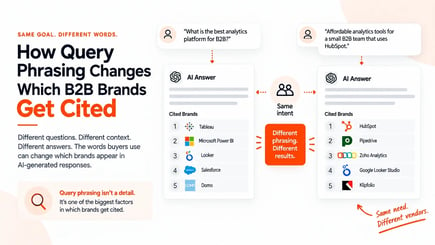
Every prompt is a full sentence with slots, and every slot is a fact a buyer would state: the category, the company type, a system the new tool must work with, a constraint. This matters because real prompts are long. In a September 2026 academic study of chat histories donated by volunteers recruited through a research panel, nearly 80 percent of prompts ran past 20 terms. The sample was not limited to buying and the authors say it may not represent all chatbot users, so it tells us about the form of prompts, not their subject. Still, a list of two-word keyword strings does not look like what people type. Our piece on how query phrasing changes which B2B brands get cited covers why wording changes the answer.
Long, specific prompts also fan out. An engine takes one prompt and sends several short searches, which is the mechanism described in our guide to query fan-out. A stated constraint can change those searches, and with them the pages and brands in the answer. That is why the constraint slot is worth filling in with care. The library writes it to read after "with" or "given", so "no dedicated analyst" and "a three-person team" both work.
The tool handles small grammar details for you. It changes "a" to "an" where your value needs it, and it leaves a bracketed placeholder wherever a slot is empty, so you can see at a glance what a prompt still needs.
What the library cannot tell you
It cannot tell you how often a prompt is typed. No public source we found reports that for B2B buyers, and the headline numbers about ChatGPT use do not fill the gap.
It cannot tell you your buyers' own words. The library is a starting list built from the form of buyer questions. Your sales calls, lost-deal notes, support tickets and on-site search are better sources for wording, and the question inventory template in our buyer-questions piece shows how to collect it. Replace our wording with theirs wherever you can.
It cannot tell you which prompts your brand will appear for. That takes running the prompts, and answers vary from run to run and from engine to engine. Our piece on model variability in AI citations covers why a single run is not a result.
Fitting it to your category
The example values in the tool come from accounts payable software. Any B2B category works if you can name the four things in the table below. Here are three invented examples, each filling the same use case prompt.
| Category | Company type | System it must work with | Constraint | The prompt that results |
|---|---|---|---|---|
| workforce scheduling software | regional restaurant group | ADP payroll | no HR team at each location | Can workforce scheduling software work for a regional restaurant group with no HR team at each location? |
| endpoint security | mid-size healthcare provider | Microsoft 365 | a two-person IT team | Can endpoint security software work for a mid-size healthcare provider with a two-person IT team? |
| freight management | growing distributor | SAP | carriers in three countries | Can freight management software work for a growing distributor with carriers in three countries? |
Take the slot values from places your team already holds them: call notes, tickets and closed-lost reasons. A customer and market research tool such as Omnibound's Intelligent Research can keep that material in one place, though a spreadsheet works as well.
Keep the wording fixed
A prompt list only helps if it stays the same. Pick two or three phrasings of each question you care about and keep them for the quarter. If you change the wording, start a new series and label the break, because a change in wording can change the answer on its own. The same applies to the slot values: edit them once, before you start, not between checks.
Questions people ask
Is the library based on real buyer prompts?
No. The prompts are original examples written by our team. The form and range come from published evidence on how buyers use chatbots, and the wording is ours. Replace it with your buyers' own wording where you can.
How many prompts should I track?
No source gives a number. A workable start is one phrasing of each of the 28 questions, so every job is covered, then a second phrasing for the questions that matter most to your sales team.
Do the prompts work in every AI engine?
They are plain language, so you can run them anywhere. Report each engine separately, because engines answer differently.
Where does my data go?
Nowhere. The tool runs in your browser and makes no network requests. If your browser allows it, the tool keeps your slot values and picked prompts in local storage so they survive a reload. Clear them with the Clear values and Clear list buttons.
Why not generate a prompt list with AI instead?
You can, and the two approaches combine well. Our ChatGPT prompts for B2B marketers guide covers how to write the request so the model works from your own customer language. A generated list changes every time you ask. This library is a fixed, labeled set, so you can hold the wording constant from one check to the next and see which jobs and entry points your list covers.
Put the picked list to work
A list on a page does nothing until someone checks it. Run a handful of your picks through the AI Search Visibility Checker for a first read on whether your brand shows up in answers to questions written the way buyers put them. Then track the full list in AI Search Intelligence, which tracks each prompt individually, so you can see which jobs you appear for and which you miss as your pages and mentions change.